marketplace.visualstudio.com
Kotlin by JetBrains — Visual Studio Marketplace
v0.0.4 Alpha · Publisher: JetBrains · Free · VS Code ^1.96.0 · Kotlin JVM Gradle & Maven
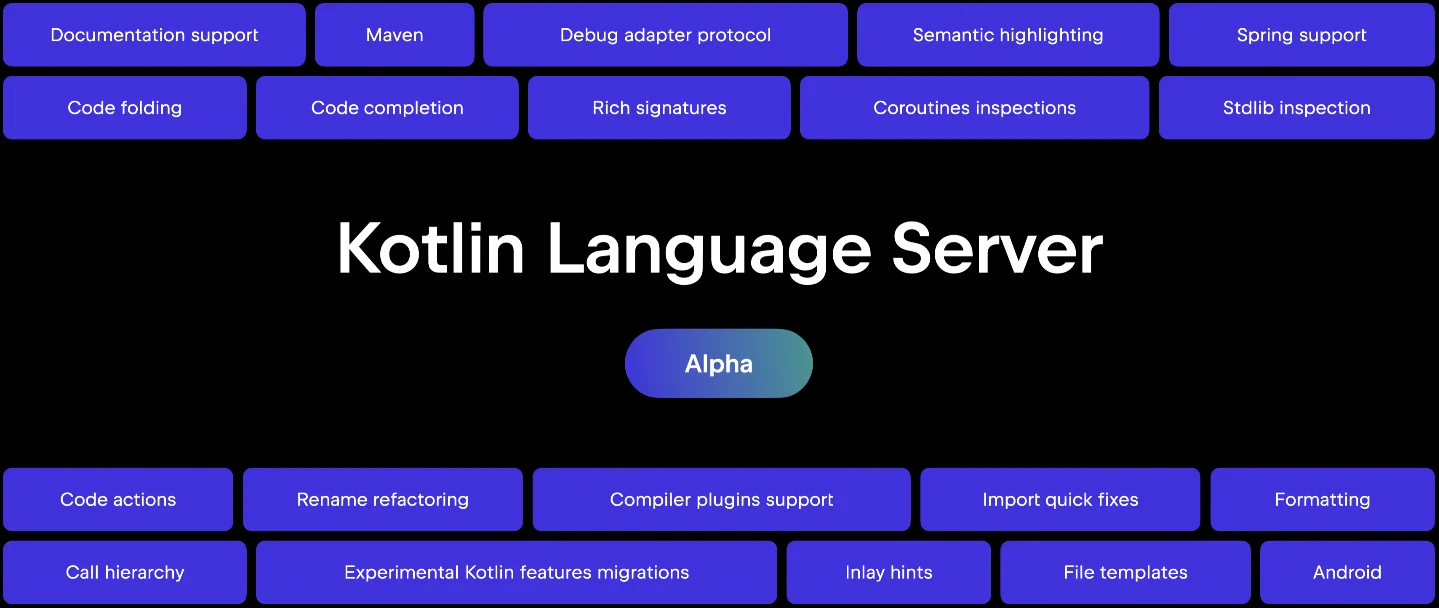
JetBrains shipped an official VS Code extension at KotlinConf 2026 that brings 14 IntelliJ IDEA-grade Kotlin features — completions, diagnostics, navigation, refactoring, call hierarchy, and more — to VS Code via a Kotlin Language Server running on the JVM. Includes install steps, the full feature table, key settings, and five honest Alpha limitations.

JetBrains.kotlin-server), an official VS Code extension that wires the full IntelliJ IDEA code-analysis engine into the editor via LSP (Language Server Protocol). 1JetBrains.kotlin-serverbrew install JetBrains/utils/kotlin-lspjetbrains.kotlin (note the lowercase publisher). When you install the new one, VS Code shows a conflict dialog asking you to uninstall the old version. Accept it and reload the window — the new extension won't activate until the old one is gone. 2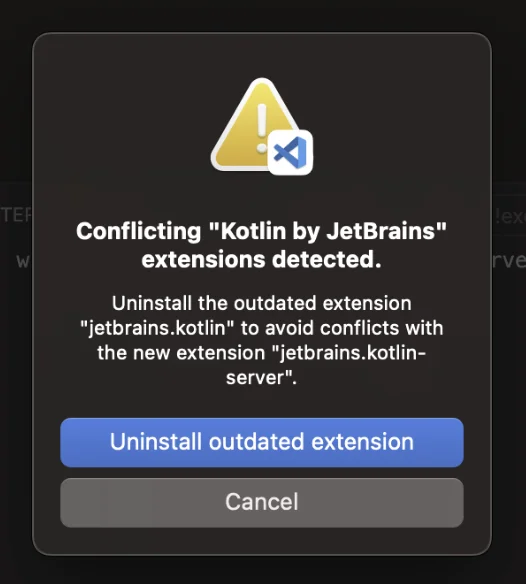
.kt file, and wait. The language server starts indexing in the background — completion and diagnostics activate once indexing finishes. The first run takes longer; subsequent activations are faster once the index is cached.| Feature | Notes |
|---|---|
| Code completion & signature help | Ranking matches IntelliJ IDEA; completion latency improved ~30% in v261.13587.0 |
| Diagnostics, inspections, quick-fixes | Covers standard Kotlin and kotlinx libraries (Kotlin extended standard library) |
| Semantic highlighting | Token-level, not just regex-based |
| Type & parameter inlay hints | Toggleable per hint type via jetbrains.kotlin.hints.* settings |
| Go to definition / references / type / implementation | Full navigation quartet |
| Call hierarchy | textDocument/prepareCallHierarchy — shows callers and callees |
| Document & workspace symbols | Searchable across the whole project |
| Hover documentation | KDoc rendered inline |
| Organize imports | Removes unused, sorts remaining |
| Rename refactoring | Project-wide, not just in-file |
| Code formatting | IDEA style applied on format-document |
| Code folding | Functions, classes, imports, block comments |
| Build system support | Gradle (stable), Maven (stable), AGP (experimental) |
| Kotlin file templates | IntelliJ-style templates with predefined variables and conditionals |
"It can be painfully slow at times and auto-complete is a bit buggy. ... the fact that there now IS a LSP that gives almost all the inspections from IDEA is already a step forward." 4
{
  "jetbrains.kotlin.hints.typeHints": true,
  "jetbrains.kotlin.hints.parameterHints": false,
  "jetbrains.templates.kotlin.fileHeader": "// Created by ${USER} on ${DATE}",
  "intellij.buildTool": "gradle"
}
intellij.buildTool tells the language server which importer to use when both a pom.xml and build.gradle exist in the same project. Set it to "maven" or "gradle" — if you leave it unset the server picks one automatically. 5kotlinLSP.* to intellij.*. If you copied a settings snippet from an older blog post, that's where the mismatch will be.intellij-server binary on first run. 6Kotlin/kotlin-lsp, Apache-2.0) is a read-only mirror — documentation PRs are accepted, but code contributions are not. 3Kotlin/kotlin-lsp) has 3,300+ stars, 80 forks, and 64 contributors. 3JetBrains.j2k-vscode), an LLM-assisted extension that converts Java files to idiomatic Kotlin via right-click. 7 The two extensions are complementary: J2K handles migration, kotlin-server handles day-to-day editing. JetBrains' stated goal is consistent Kotlin tooling "across any editor, any build tool, any agent framework" — the KotlinConf keynote positioned Kotlin Language Server alongside the new Kotlin Toolchain and Documentation Model as three coordinated infrastructure releases. 8v0.0.4 Alpha · Publisher: JetBrains · Free · VS Code ^1.96.0 · Kotlin JVM Gradle & Maven
Kotlin Language Server and plugin for Visual Studio Code · 3,300+ stars · Apache-2.0 · 64 contributors
Add more perspectives or context around this Post.