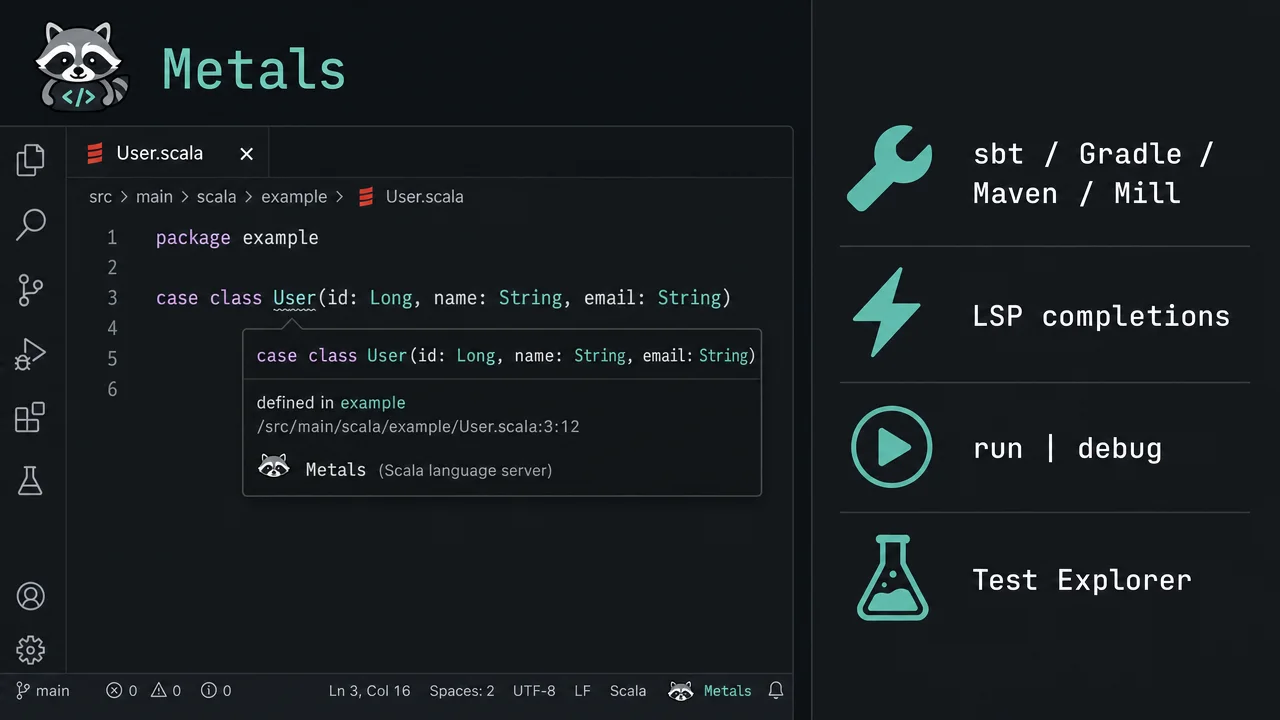
Metals v2.0.0-M13: full Scala IDE in VS Code without IntelliJ
Metals (`scalameta.metals`) is the official Scala Language Server, developed by Scala Center and VirtusLab, bringing 27+ LSP features — completions, go-to-definition across library sources, integrated test running, and scalafmt formatting — to VS Code and six other editors. v2.0.0-M13 Gold (2026-05-20) adds a Gradle MBT extractor, BSP CodeLenses, and a forward-port from v1.6.7 stable.

If you write Scala outside IntelliJ, Metals (
scalameta.metals) is the official answer — the Language Server Protocol implementation that brings type-aware completions, go-to-definition across library sources, integrated test running, and scalafmt formatting to VS Code, Vim, Emacs, Helix, and Zed. 1 Version v2.0.0-M13 Gold shipped on May 20, 2026 — the latest milestone in the active v2 pre-release series — adding a Gradle MBT (Module Build Target) extractor and BSP CodeLenses improvements on top of a full forward-port from the v1.6.7 stable track. 2The name Metals is a portmanteau of Meta (Scalameta, the compiler toolkit) and LS (Language Server). Development is led by Scala Center (EPFL) and VirtusLab, the firm behind the Scala compiler and
scala-cli. 3 The GitHub repository has 2.3k stars, 423 forks, and 10,071 commits. 1Install
Search Scala (Metals) in the VS Code Extensions panel (publisher:
scalameta), or install from the terminal: 4code --install-extension scalameta.metalsThe stable channel installs v1.66.2. To try the v2 pre-release features covered below, open the extension's page in VS Code and click Switch to Pre-Release Version.
Requirements: JDK 11 minimum (JDK 17 default; auto-downloaded via Coursier if none found). Scala 2.13, 2.12, or Scala 3 (3.3.4+). macOS, Linux, or Windows. No JetBrains plugin — IntelliJ IDEA uses its own separately-maintained Scala plugin. 5
The three-step daily workflow
1. Import the build
Open a folder containing
build.sbt, build.sc, or a src/main/scala tree. Metals activates automatically and prompts you to import the build. 4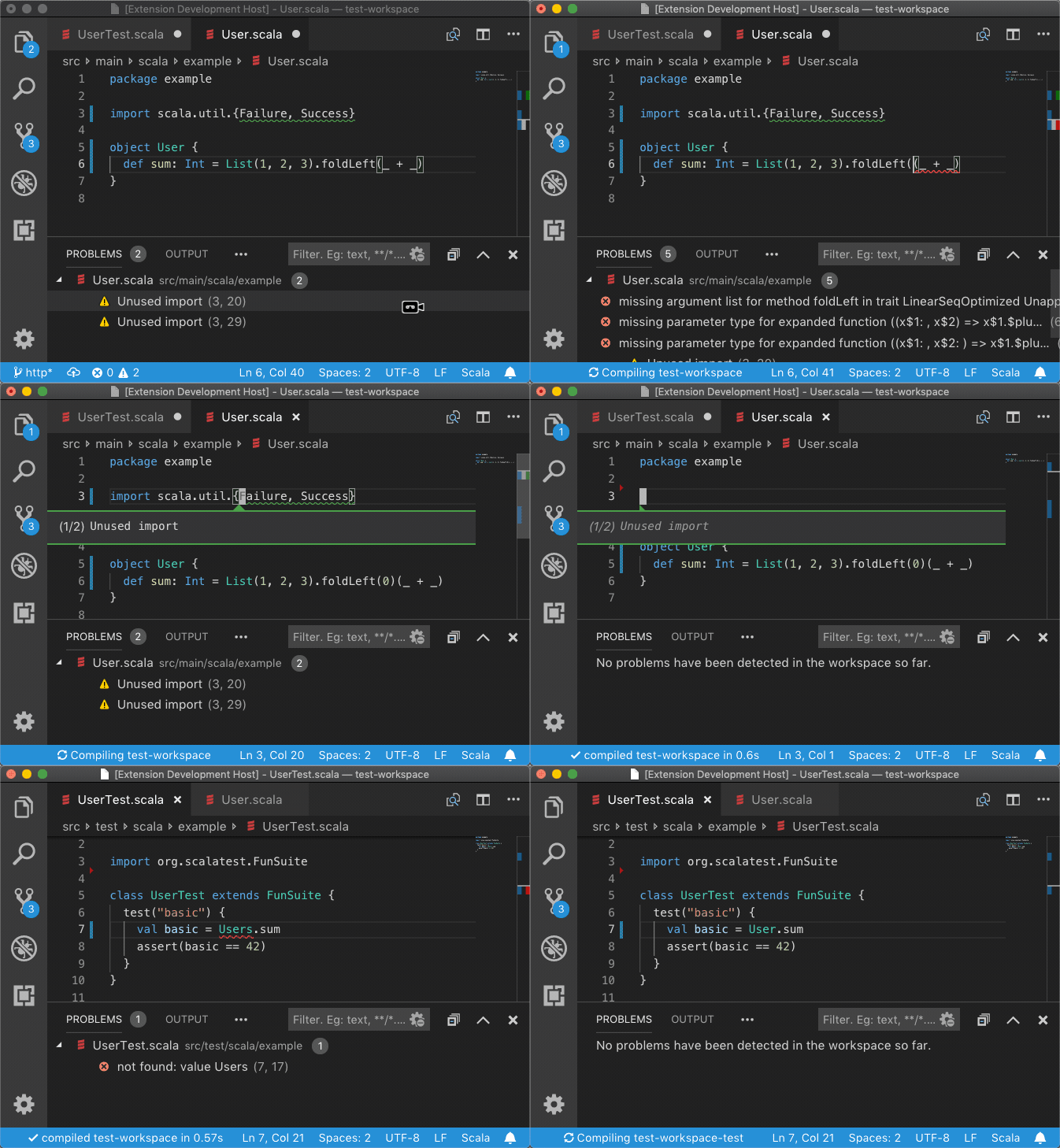
Behind the scenes, Metals exports the project to Bloop (a fast incremental build server) for sbt, Gradle, Maven, and Mill. You don't need Bloop installed separately. First import on a small cached project takes about 10 seconds; a large uncached project with many dependencies can take 10–15 minutes. 6
2. Run or debug from a code lens
After import, every
object with a main method gets a run | debug code lens above its definition line. Every test class gets test | test debug. Click to run — no terminal command needed. 4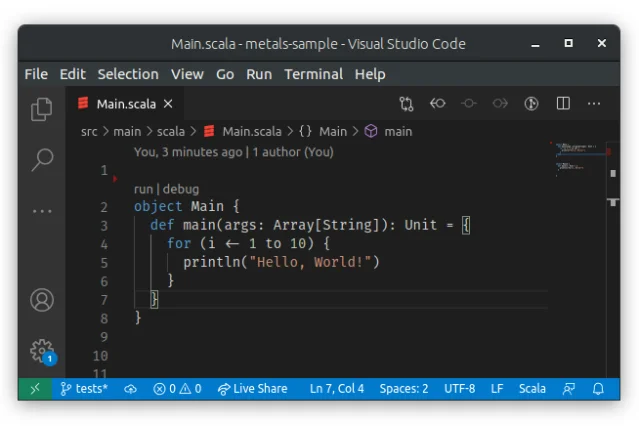
object Main — click run or debug to launch without leaving the editor. 4For custom JVM flags or arguments, add a
.vscode/launch.json:{
"version": "0.2.0",
"configurations": [
{
"type": "scala",
"request": "launch",
"name": "Run with args",
"mainClass": "example.Main",
"args": ["--config", "prod.conf"],
"jvmOptions": ["-Xmx2g"]
}
]
}3. Format on save with scalafmt
Metals includes scalafmt (the standard Scala formatter) with no additional install. Enable format-on-save in
.vscode/settings.json: 5{
"[scala]": {
"editor.formatOnSave": true
}
}If no
.scalafmt.conf exists in the project root, Metals creates one. Multi-line strings get | alignment automatically as you type (onTypeFormatting) and when you paste (formatOnPaste), both enabled by default.Full feature set
| Category | What you get |
|---|---|
| Completions | Auto-import, override completions, exhaustive match cases, string interpolators, file name completions |
| Navigation | Go-to-definition (project + library jars), find references, find implementations, workspace symbol fuzzy search |
| Hover | Type at point, symbol signature, docstring |
| Diagnostics | Syntax errors as-you-type; type errors on save via the build tool |
| Refactoring | Rename symbol (workspace-wide), code actions (extract method, insert type, convert to/from) |
| Imports | Organize imports, auto-insert on completion |
| Implicits | Virtual text decorations showing inferred implicit parameters and conversions |
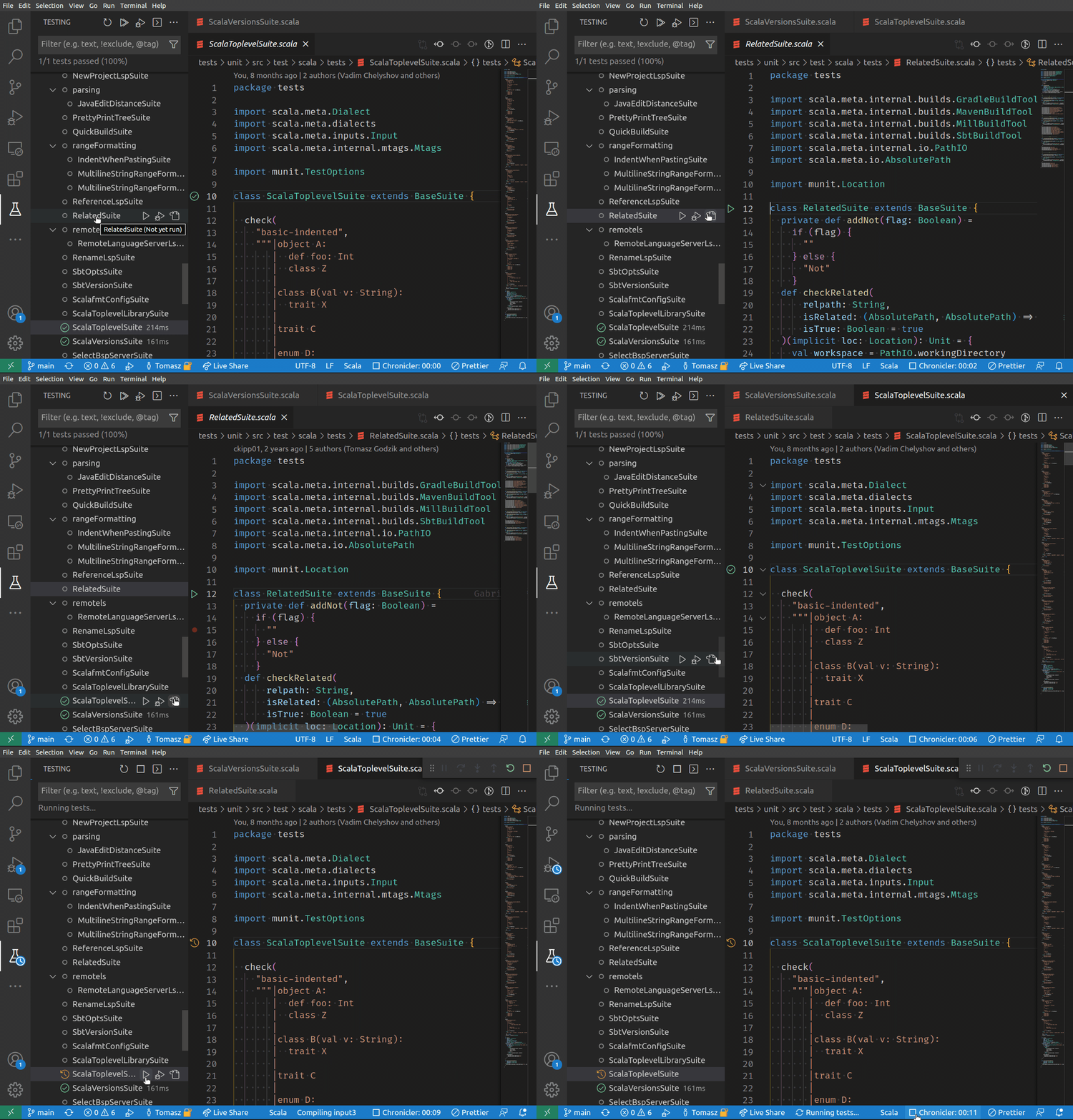
| Testing | VS Code Test Explorer (JUnit4, MUnit, Scalatest, Weaver), per-suite run/debug |
| Worksheets | *.worksheet.sc files evaluate on save, results shown as inline hints |
| MCP server | HTTP + stdio transport for AI agent integration (added in v1.6.0) |
| Decompiler | Auto-decode .class / .semanticdb / .tasty files (VS Code, added v1.6.7) |
What v2.0.0-M13 adds
The v2 series (started May 6, 2026 with M10) is a significant architectural shift: Metals v2 indexes source files directly at roughly 1 million lines per second, making navigation available before the build finishes. 7 Build integration remains required for type errors and third-party dependency navigation.
v2.0.0-M13, released May 20 with contributions from Tomasz Godzik, @snjeza, @odisseus, and @jchyb, brings three headline changes: 2
- Gradle MBT extractor (PR #8385): Gradle projects can now use the Module Build Target format to drive Metals imports, the same mechanism introduced for Bazel in M12.
- BSP server + CodeLenses (PR #8375): BSP-backed servers now expose run/debug code lenses.
- Forward port from v1.6.7: all 37 commits from the April stable release, including stdio transport for the MCP server and
.class/.tasty/.semanticdbauto-decompilation.
Caveats worth knowing
v2 is pre-release, and a few known bugs bite. Cross-module navigation with Gradle MBT is broken (issue #8442, reproduced with the Apache Kafka repo — symbols from a different Gradle module can't be resolved). 8 Cross-platform projects (JVM + Scala.js) don't see compile errors in VS Code under v2 (issue #8257). 9 The stable extension channel (v1.66.2 / Metals v1.6.7) has neither issue.
Type errors are build-dependent. Metals shows syntax errors inline as you type, but type-checking requires a save and a round-trip to sbt/Bloop. On large multi-module projects, that delay is measurable. IntelliJ IDEA reimplements parts of the Scala compiler internally, which is why it recovers from type errors faster and without saving. 10
Find references has a gap. Looking up references to
Dog.name() won't surface callers of Animal.name() — overridden method references aren't included. 11No JetBrains target. Metals has no IntelliJ plugin; IntelliJ users stay on the JetBrains Scala plugin. The practical split: VS Code + Metals if you want a lightweight editor or need Vim/Emacs/Helix/Zed; IntelliJ if you need Structural Search and Replace, integrated profiler, or AI Assistant features. 12
Worksheets have a 30-second evaluation timeout and don't support value classes (
AnyVal). Move AnyVal subclasses to a separate file as a workaround. 11Install
Extension ID:
scalameta.metals · Stable server: v1.6.7 (extension v1.66.2) · Pre-release server: v2.0.0-M13 (2026-05-20) · IDE: VS Code (also: Vim, Emacs, Helix, Zed, Sublime Text) · Language: Scala 2.12 / 2.13 / 3 · Use case: full language server (completions, navigation, diagnostics, testing, formatting, debug) · License: Apache-2.0 · GitHub: 2.3k ★ 1References
- 1scalameta/metals — GitHub
- 2Metals v2.0.0-M13 Gold release
- 3Metals official site
- 4Scala (Metals) — VS Code Marketplace
- 5Metals VS Code docs
- 6Build Tools Overview — Metals
- 7Metals v2 homepage
- 8GitHub Issue #8442 — MBT + Gradle cross-module navigation
- 9GitHub Issue #8257 — no compile errors in cross-platform projects
- 10Scala 3 improvements in Metals — Igal Tabachnik
- 11Metals editors overview
- 12IntelliJ Scala Plugin 2026.1
Add more perspectives or context around this Post.